
How to Merge Videos
How to Merge Videos in Lecture Folder
Step 1: Download the Udemy Tool


Step 2: Run the Udemy Tool in the Lecture Folder
- Windows: Copy the
.exefile into lecture folder and run it. - MacOS: Unpack the
.zip, Copy udemy tool into lecture folder and run it.
Show Case
-
Unpack the
udemy_tool.zipand copy to lecture folder.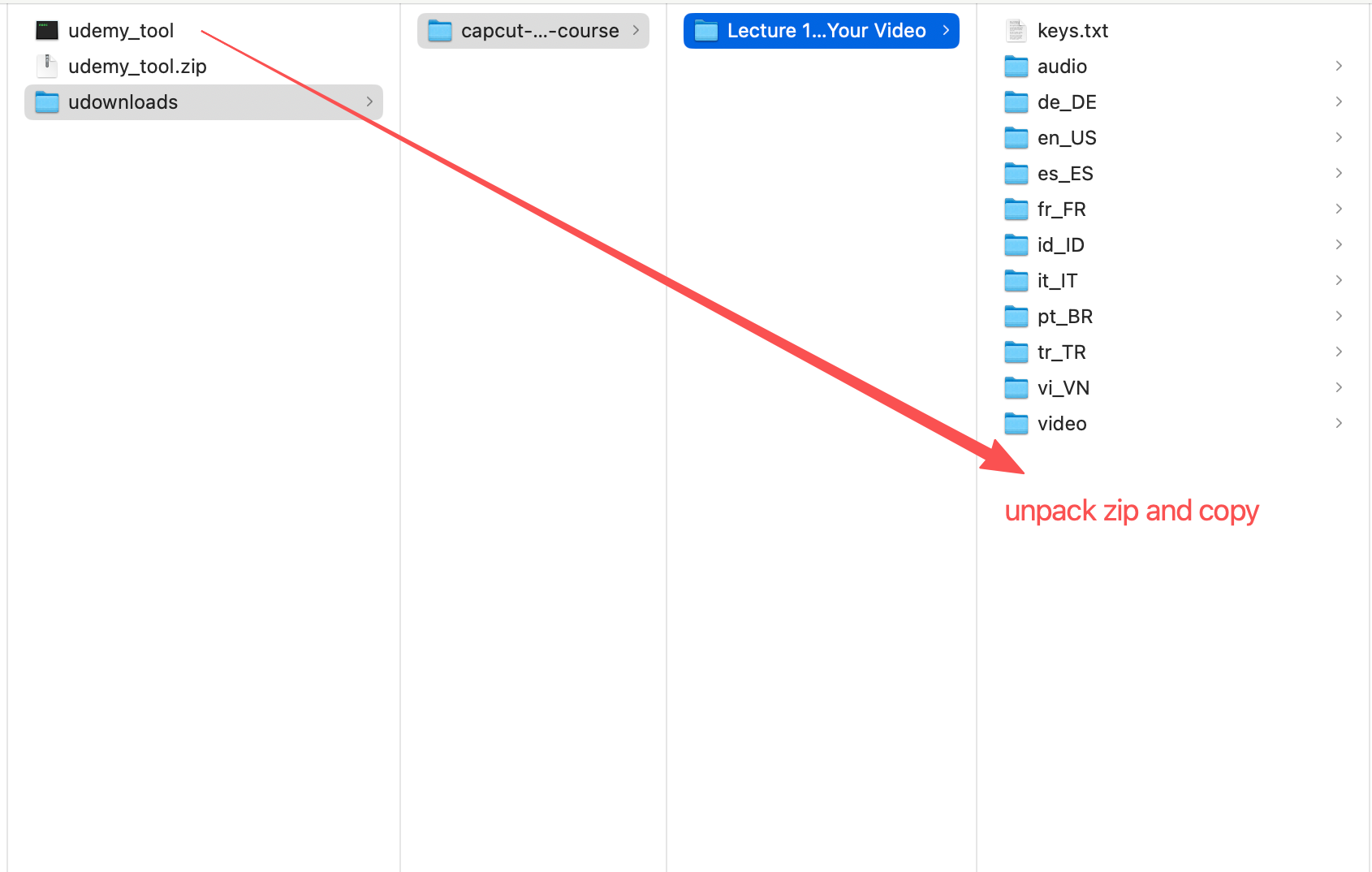
-
Click and run the
merge_videotool to combine the video segments.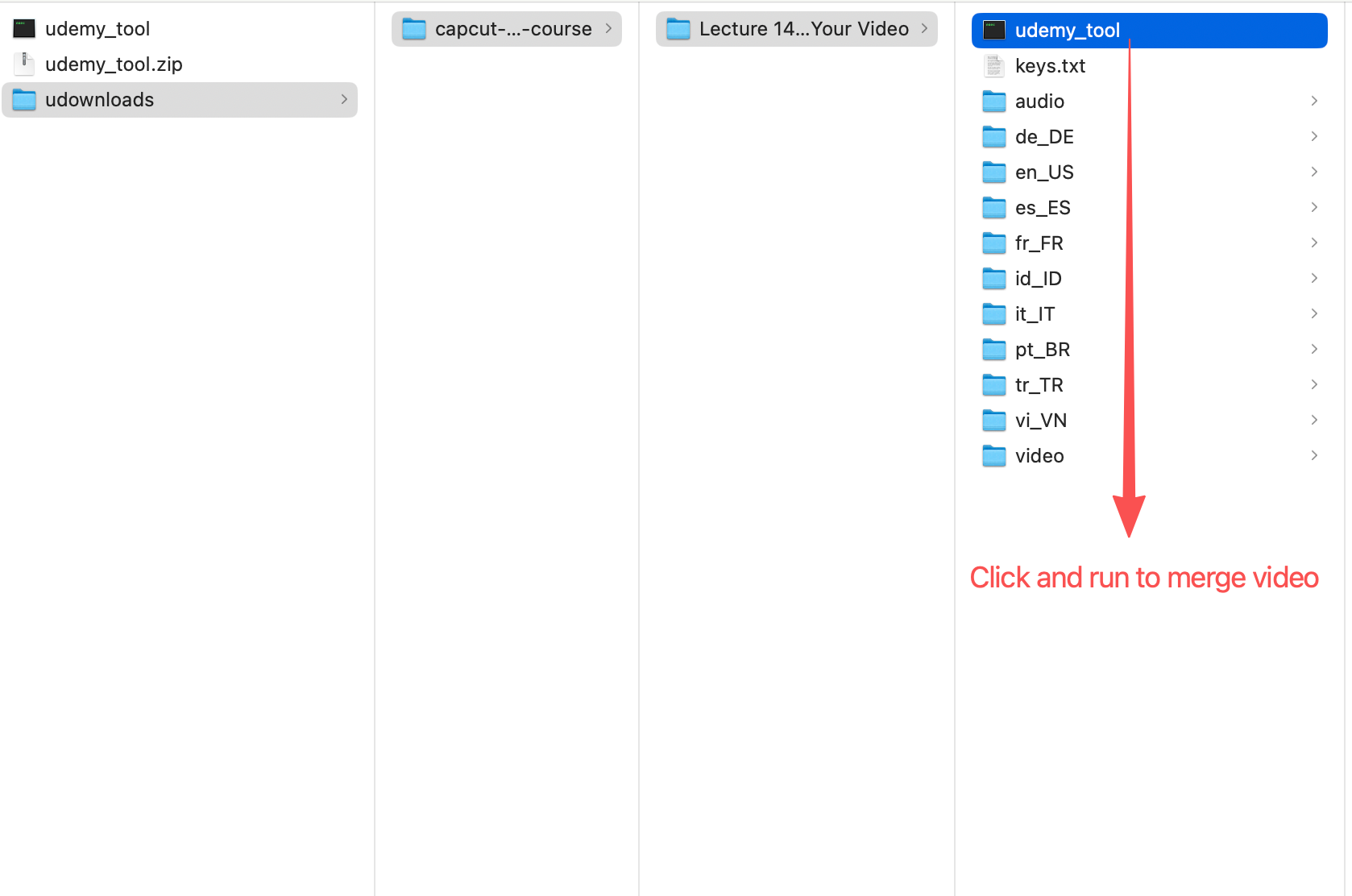
Note: If you have multiple course lectures need merge, copy the unpacked tool into each folder and run it.